# vite 的基础使用 & vue3 中使用 vite
# 优势
上手非常简单
开发效率极高
社区成本低(兼容 rollup 插件)
# 版本
1.0,以 vue3 为主
2.0,跨框架
# vite 创建 vue3 项目
使用 NPM:
$ npm init vite@latest
1
使用 Yarn:
$ yarn create vite
1
然后按照提示操作即可!
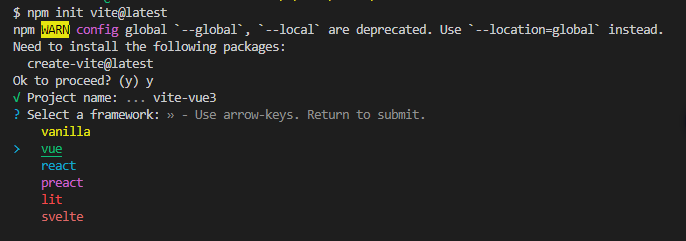
这里的 vue 是 vue3 不是 vue2 的版本
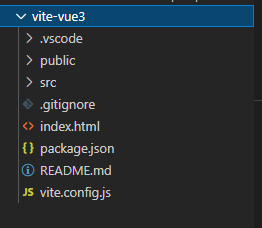
# vue3-vite 目录样子
# vite.config 中的配置
import { defineConfig } from "vite";
import vue from "@vitejs/plugin-vue";

// https://vitejs.dev/config/
export default defineConfig({
  plugins: [vue()],
});
1
2
3
4
5
6
7
2
3
4
5
6
7
这里是不支持 jsx 的开发方式的,如果想支持 jsx 的开发方式,需要安装一个插件@vitejs/plugin-vue-jsx https://vitejs.cn/plugins/#vitejsplugin-vue-jsx
import { defineConfig } from "vite";
import vue from "@vitejs/plugin-vue";
import vueJsx from "@vitejs/plugin-vue";

// https://vitejs.dev/config/
export default defineConfig({
  plugins: [vue(), vueJsx()],
});
1
2
3
4
5
6
7
8
2
3
4
5
6
7
8
修改 APP.vue 为App.jsx,并修改代码如下
import { defineComponent } from "vue";
export default defineComponent({
  setup() {
    return () => {
      return <div>vite jsx</div>;
    };
  },
});
1
2
3
4
5
6
7
8
2
3
4
5
6
7
8
至此创建一个基本的 vue3 项目,同时支持 vue,jxs 文件