# vite 创建 vue2 项目
从创建 vue 的过程中我们其实可以看到,vue2 并没有出现在默认列表中
vue 社区这么强大,同时 vue2 的占有率这么高,肯定存在 vue2+vite 的支持的
# underfin/vite-plugin-vue2
# Install
npm install vite-plugin-vue2 -D
1
// vite.config.js
import { createVuePlugin } from "vite-plugin-vue2";

export default {
  plugins: [createVuePlugin(/* options */)],
};
1
2
3
4
5
6
2
3
4
5
6
# 创建项目
注意: 在构架你项目的时候我们是没有找到关于 vue2 的一个模板的,其实我们是可以选择第一个
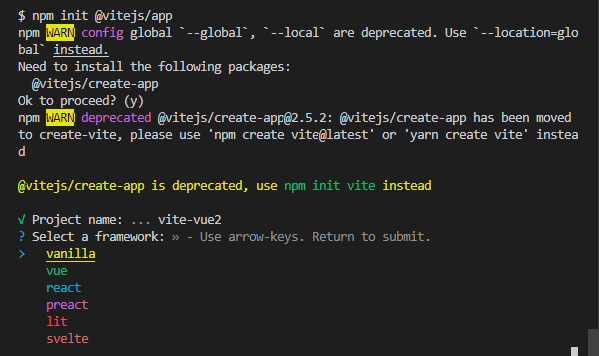
表示没有任何的第三方框架的支持
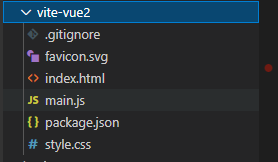
目录下我看到是没有任何的第三方的插件,我们可以自行补充 vue2 相关的 文件
# 支持 vue2
# 安装 vite-plugin-vue2
yarn add vite-plugin-vue2
1
# 安装 vue2 版本
yarn add vue@2.6.14
1
# 创建一个 App.vue
<template>
  <div>vue2</div>
</template>
1
2
3
2
3
# 启动项目
页面打印出了我们想要的效果