# Node20 升级问题整理
升级到 Node20 遇到的问题整理
# 1.error:0308010C
# 问题描述:
[2023-06-14 10:45:40] Error: error:0308010C:digital envelope routines::unsupported
# 问题原因:
Node v16 supports dynamically linking with OpenSSL 3.0 (#29817) (opens new window) but doesn't support OpenSSL 3.0 Legacy provider
一些讨论:
- [v18]OpenSSL library API incompatability errors using --openssl-legacy-provider flag (opens new window)
- [v16.x] src: add --openssl-legacy-provider option (opens new window)
# 解决方案:
# 在编译脚本(比如build.sh)中增加:
# 参考:https://stackoverflow.com/questions/69692842/error-message-error0308010cdigital-envelope-routinesunsupported
export NODE_OPTIONS=--openssl-legacy-provider

# 如果是本地运行,可以考虑在 package.json 中添加:
{
    "scripts": {
        "start": "NODE_OPTIONS=--openssl-legacy-provider node index.js" # 类似这样
    }
}
2
3
4
5
6
7
8
9
10
# 2. node-gyp / node-sass
# 问题描述:
* Can't find Python executable "/opt/deck/python/2.7.17/bin/python2.7", you can set the PYTHON env variable
* node-sass 版本异常等等
* 找不到g++
# 问题原因:
webpack、sass-loader、node-sass、node-gpy、python、gcc 的版本 与 Node20 兼容问题
# 解决方案:
基于下面的「依赖信息关系」映射表,以及我们的版本信息(v16,v18,v20),而 ipipe 上支持 Python 版本为:(2.7.18 3.10.10 3.11.2 3.8.16 3.9.16)
- 如果未使用 sass
- 尝试直接升到 Node20(目前暂时未收到无 sass 升级 node20 的依赖报错,应该也会有一些场景)
- 如果使用了 sass,走下面分支:
- 如果使用 webpack@^5,可以尝试使用 Node20
- 如果使用 webpack@^4.36.0,尝试使用 Node18
- 如果使用 webpack 小于 4.36.0,尝试升级 webpack 到 4.36.0 以上,确定无法升级的可以考虑使用 Node16
- 特殊的:如果使用了@vue/cli-service,create-react-app 之类脚手架,响应的尝试升到主版本的最新版上。
- 特殊的:虽然按官方声明,存在各种版本依赖,但依然在 node20.3.0 + node-sass@^8 + webpack@4.43.0
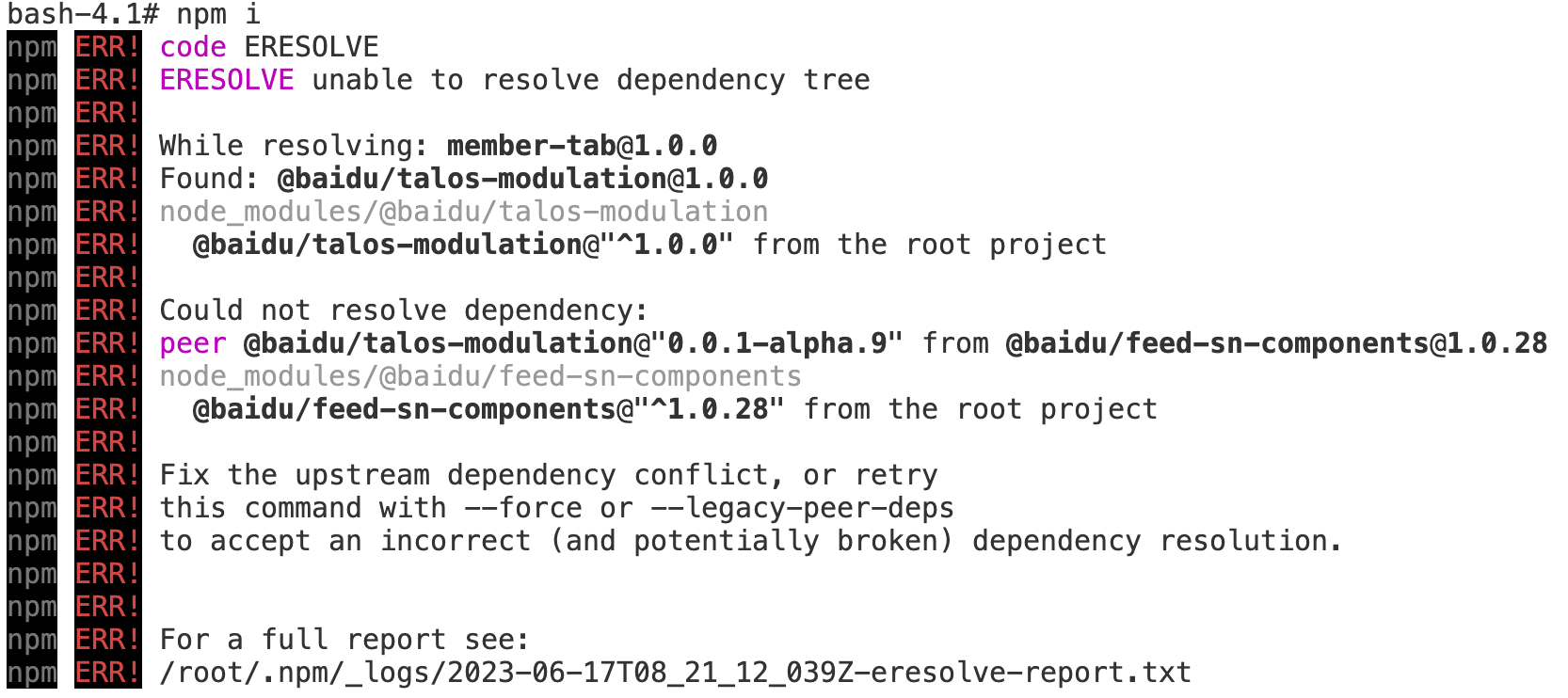
# 3. unable to resolve dependency tree
# 问题描述:
peer 依赖问题
# 问题原因:
升级到 node20 后,npm9 会严格校验 peerDeps(从 npm7 就开始了), 从而导致错误 unable to resolve dependency tree。官方文档#legacy-peer-deps (opens new window)
# 解决方案:
- 优先建议修复依赖问题!
- 如果你确定明确影响,可以考虑使用 npm install --legacy-peer-deps
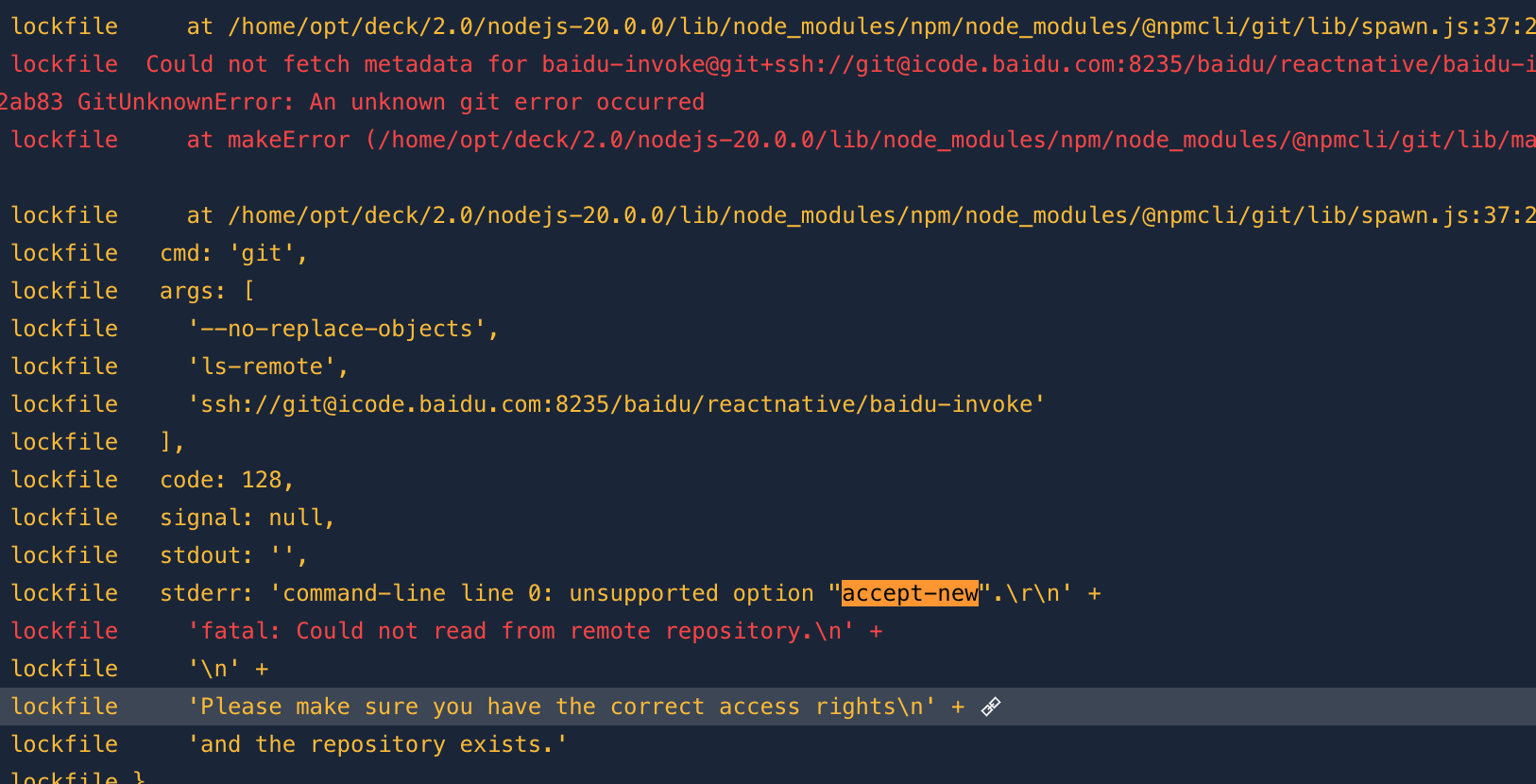
# 4. command-line line 0: unsupported option "accept-new"
# 问题描述:
有 npm install "git+ssh://git@icode.baidu.com8235/xxx/xxx/xx" 场景时候
# 问题原因:
issues:https://github.com/npm/git/issues/31 (opens new window)
# 解决方案:
# shell中直接添加
export GIT_SSH_COMMAND=ssh

# 或者在 package.json scripts 内添加 `GIT_SSH_COMMAND=ssh`,示例如下:
{
    "scripts": {
        "dev": "GIT_SSH_COMMAND=ssh node index.js"
    }
}
2
3
4
5
6
7
8
9
# 5.fis3 问题
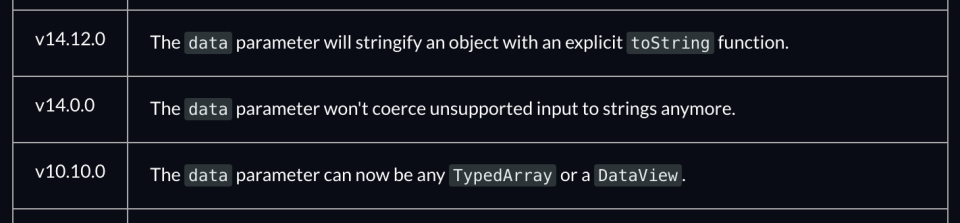
# 5.1 The "data" argument must be of type string or an instance of Buffer, TypedArray, or DataView. Received undefined
# 问题描述:
The "data" argument must be of type string or an instance of Buffer, TypedArray, or DataView. Received undefined
# 问题原因:
node14 版本后,fs.writeFileSync(file, data[,options])中的 data 有更多的类型限制要求
# 解决方案:
兼容了下,使用 fis3@3.5.0-beta.4
# 5.2 node-uuid/v3.js 报错
# 问题描述:

# 问题原因:
里面使用了 node-uuid@1.4.8,这个版本的代码有问题,node20 时候,node-uuid 被提层级到根 node_modules 下了,fis3 的 match 到了本不该引用到的代码,导致 uglify-js 失败.
# 解决方案:
- 改 fis.conf,忽略 node-uuid 包
- 使用 patch-package 包,修复 node-uuid/v3.js 的问题 patch-package 在这:https://www.npmjs.com/package/patch-package (opens new window)
# 5.3 less/lib/source-map/source-map-footer.js 报错
# 问题描述:

# 问题原因:
fis3 处理了不该处理的文件,而这个文件是破损的,但是 node_modules/less/lib/source-map/*.js 这些脚本是给 less 本身使用的,和 fis 没啥关系,所以直接跳过就行了.
# 解决方案:
fis-conf.js 加上 node_modules/less/lib/source-map/*.js
← 日志