# 飞书一键复制网页内容为图片原理
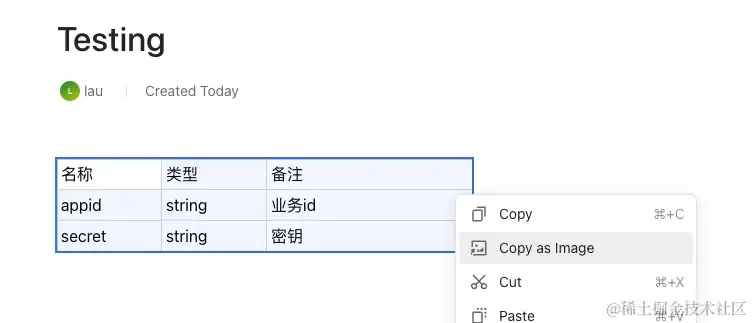
飞书上有一键复制 dom 为图片的功能,原理是利用 canvas 将 dom 转换为图片,然后使用
navigator.clipboard到剪切板
<!DOCTYPE html>
<html lang="en">
  <head>
    <meta charset="UTF-8" />
    <meta name="viewport" content="width=device-width, initial-scale=1.0" />
    <title>Document</title>
  </head>

  <body>
    <button onclick="copyDivToImage()">复制</button>
    <table border="1" id="table">
      <tr>
        <th>Month</th>
        <th>Savings</th>
      </tr>
      <tr>
        <td>January</td>
        <td>$100</td>
      </tr>
      <tr>
        <td>February</td>
        <td>$80</td>
      </tr>
    </table>

    <script src="https://unpkg.com/html2canvas@1.4.1/dist/html2canvas.js"></script>

    <script>
      function copyDivToImage() {
        const element = document.getElementById("table");
        html2canvas(element).then((canvas) => {
          canvas.toBlob(
            (blob) => {
              // 复制文件到剪贴板
              try {
                navigator.clipboard.write([
                  // eslint-disable-next-line no-undef
                  new ClipboardItem({
                    [blob.type]: blob,
                  }),
                ]);
                console.log("图像已成功复制到剪��板");
              } catch (err) {
                console.error("无法复制图像到剪贴板", err);
              }
            },
            "image/png", // 文件的格式
            1, // 图像压缩质量 0-1
          );
        });
      }
    </script>
  </body>
</html>
1
2
3
4
5
6
7
8
9
10
11
12
13
14
15
16
17
18
19
20
21
22
23
24
25
26
27
28
29
30
31
32
33
34
35
36
37
38
39
40
41
42
43
44
45
46
47
48
49
50
51
52
53
54
2
3
4
5
6
7
8
9
10
11
12
13
14
15
16
17
18
19
20
21
22
23
24
25
26
27
28
29
30
31
32
33
34
35
36
37
38
39
40
41
42
43
44
45
46
47
48
49
50
51
52
53
54